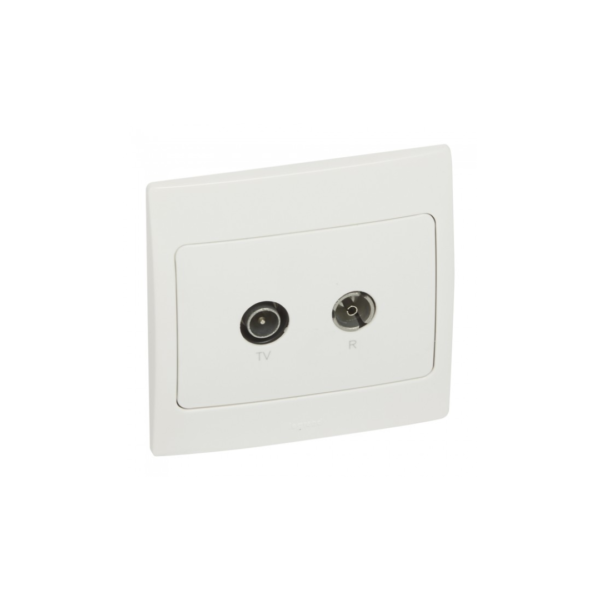
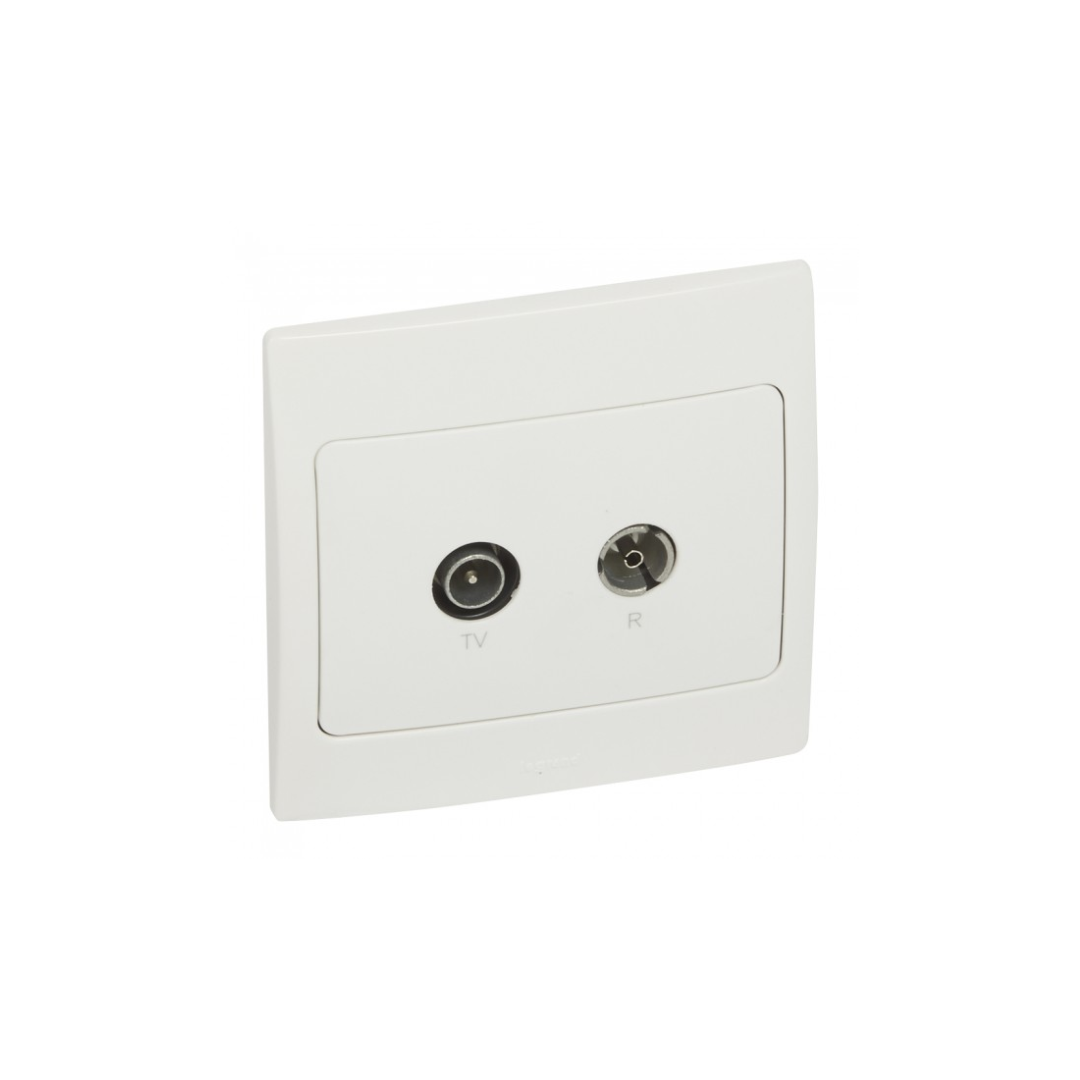

Legrand Mallia Tv-R Socket

SKU: 281153

د.إ51.10

10 in stock

20 People watching this product now!

Fast Shipping

Carrier information

20k products

Payment methods

24/7 Support

Unlimited help desk

2-day Delivery

Track or off orders

Additional information
RatingWhite

Description

The Legrand Mallia TV-R socket is an electrical socket designed for use with television cables. It is a combination socket that includes a TV socket and an RJ45 socket, which is commonly used for computer networking. The TV-R socket includes both a TV socket and an RJ45 socket, making it a versatile solution for homes and offices that require both TV and internet connections.
The socket is designed for easy installation and can be mounted directly onto a wall using screws. The socket is made from high-quality materials, including durable plastic and metal components, which ensures a long-lasting and reliable performance. The socket has a simple design that is easy to use. It features a single female “F” type terminal for connecting television cables and an RJ45 socket for connecting networking cables. The TV-R socket is compatible with a range of television cables, including coaxial cables, which are commonly used in many homes.
The TV-R socket features a stylish and modern design that complements the decor of any room in the house. The TV-R socket is designed to be versatile and can be used in a variety of locations, including living rooms, bedrooms, and home offices.

Benefits

  • Easy to Install
  • High-quality Materials
  • Versatile
  • Simple Design
  • Stylish Design

Features

  • Includes both a TV socket and an RJ45 socket
  • Single female “F” type terminal
  • Including coaxial cables

How to use

Step 1: Turn off the power supply to the socket to ensure that there is no risk of electrical shock.

Step 2: Locate the area on the wall where you want to install the TV-R socket. Mark the area with a pencil and use a drill to make holes for the screws.

Step 3: Install the socket on the wall using screws. Make sure that the socket is securely attached to the wall.

Step 4: Connect the TV cable to the female “F” type terminal on the socket. Make sure that the connection is secure.

Step 5: If you want to connect a networking cable to the RJ45 socket on the TV-R socket, simply insert the cable into the socket until it clicks into place.

Step 6: Once the cables are connected, turn on the power supply to the socket and test the connections to ensure that they are working properly.