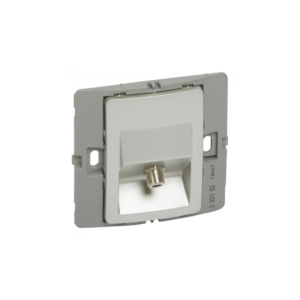
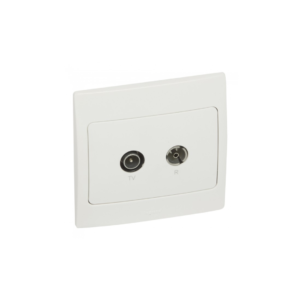
The Legrand Synergy Sleek Design Screened TV + FM + Sat is a device that provides hotel guests with a range of entertainment options, including TV, FM radio, and satellite TV channels. The device features a modern and attractive design that can complement any hotel room decor.
The device includes a built-in screen that displays the available channels and programming for each entertainment option, as well as a range of features and functions to enhance the viewing and listening experience. The TV option includes a range of input ports, allowing guests to connect their own devices, such as gaming consoles or laptops, to the TV for a personalised viewing experience.
The FM radio option includes a range of FM radio channels, providing guests with a variety of music and talk radio options. The satellite TV option includes a range of satellite TV channels, offering guests a wide range of programming options. The device includes a remote control for easy and convenient channel switching and control of other features.
Features
- Includes a built-in screen
- Modern and attractive design
- Connect their own devices
How to use
Step 1: The device can be powered on using the power button on the device or the remote control.
Step 2: Use the remote control to choose between the TV, FM radio, or satellite TV options.
Step 3: Use the remote control to choose a channel to watch or listen to. The built-in screen will display the available channels and programming for each entertainment option.
Step 4: Use the remote control to adjust the device settings, such as the volume, brightness, and contrast, to customise the viewing or listening experience.
Step 5: If you want to connect an external device, such as a gaming console or laptop, use the input ports on the TV to connect the device. Use the remote control to switch to the correct input channel.
Step 6: Enjoy your entertainment. Sit back and enjoy your TV, FM radio, or satellite TV viewing experience.
Step 7: When you’re finished watching or listening, power off the device using the power button on the device or the remote control.






 Showers & Hoses
 Construction Adhesives
 Construction Chemicals
 Adhesives / Sealants
 General Supplies
 Site Essentials
 Circuit Breakers
 Switches & Sockets
 Interior Wall Paint
 Interior Emulsion Paint
 Matt Finish Emulsion
 Silk Finish Emulsion
 Paint
Paint Spray Paints
 Primers & Sealers
 Angle Valves
 Faucet and Mixers
 Shattafs
 Shower Set