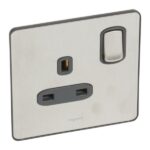
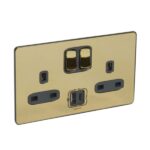
Legrand Synergy Sleek – 2 gang switched single pole BS socket outlet 13A + USB chargers Type A&C –

SKU: 832479

د.إ349.00

10 in stock

11 People watching this product now!

Fast Shipping

Carrier information

20k products

Payment methods

24/7 Support

Unlimited help desk

2-day Delivery

Track or off orders

Additional information
Weight 0.218 lbs
Rating

832479

Reviews (0)
0 reviews
0
0
0
0
0

There are no reviews yet.

Be the first to review “Legrand Synergy Sleek – 2 gang switched single pole BS socket outlet 13A + USB chargers Type A&C –”

Your email address will not be published. Required fields are marked *

Description

The 13A Double Switched Socket with USB Type A and Type C is an electrical socket designed for domestic and commercial use that features both traditional power outlets and USB charging ports. It allows users to charge their devices directly from the socket without the need for additional adapters or chargers. This socket has a double-switched design, meaning it has two separate switches that control the electrical current flowing through each socket.
It is rated for a maximum load of 13 amps and 250 volts, making it suitable for a wide range of devices and appliances. In addition to the traditional power outlets, this socket also features two USB charging portsone Type A port and one Type C port. The Type A port is the more common type of USB port and is used for charging devices such as smartphones, tablets, and cameras. The Type C port is a newer, more versatile port that can be used for charging a wider range of devices, including laptops and other larger electronics.
The USB ports on this socket provide a maximum charging output of 2.4 A, which is sufficient to charge most devices quickly and efficiently. The socket is also equipped with safety features such as overcurrent protection and short-circuit protection to prevent damage to devices and ensure safe charging.

Features

  • Provide a maximum charging output of 2.4 A
  • Rated for a maximum load of 13 amps and 250 volts
  • Overcurrent protection and short-circuit protection

How to use

Step 1: Ensure that the power supply to the socket is switched off before attempting to use it.

Step 2: Insert the plug of the device or appliance you wish to use into one of the socket outlets on the socket.

Step 3: Use the appropriate switch to turn on the power supply at the socket. There are two switches on the socket, each of which controls the power supply to one of the outlets.

Step 4: If you wish to charge a device using the USB ports, simply connect the device to the appropriate USB port using a compatible charging cable. The socket features both Type A and Type C USB ports, so ensure that you use the appropriate port for your device.

Step 5: If the device is charging, the charging indicator on your device should light up or display a charging animation. If it does not, check that the device is properly connected to the USB port.

Step 6: When you are finished using the socket, unplug the device or appliance and switch off the power supply to the socket.

Step 7: Always ensure that the socket is properly installed and wired by a qualified electrician and that it is used in accordance with any safety guidelines or regulations that apply to your location.