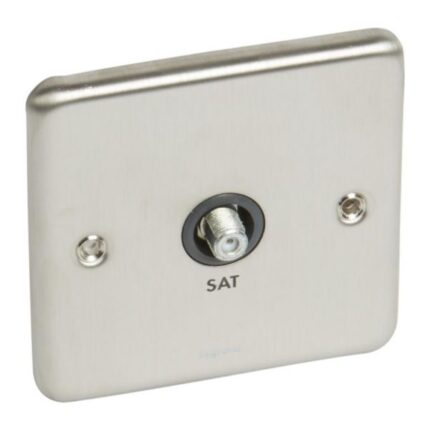
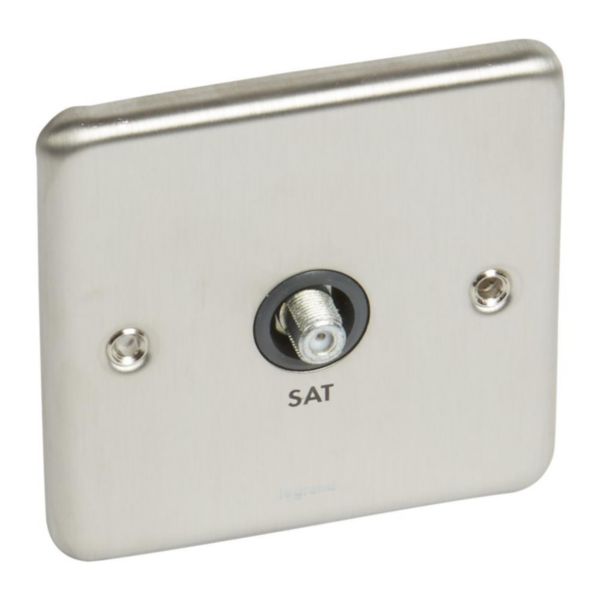
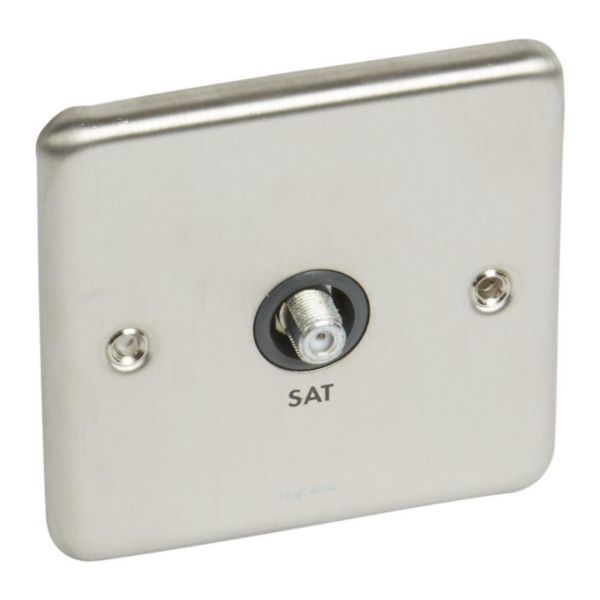

Legrand Synergy Authentic – single “F” type TV socket –

SKU: 833041

د.إ76.84

10 in stock

18 People watching this product now!

Fast Shipping

Carrier information

20k products

Payment methods

24/7 Support

Unlimited help desk

2-day Delivery

Track or off orders

Additional information
Rating833041

Description

The Legrand Synergy Authentic Screened Satellite is a device designed to provide hotel guests with a reliable and high-quality satellite TV viewing experience. The device features a modern and attractive design that can complement any hotel room decor. The screened satellite is designed to be easy to install and use. It includes a built-in screen that displays the available channels and programming, as well as a range of features and functions to enhance the viewing experience.
The device includes a range of input ports, allowing guests to connect their own devices, such as gaming consoles or laptops, to the TV for a personalised viewing experience. It also features a remote control for easy and convenient channel switching and control of other features. The Legrand Synergy Authentic Screened Satellite is designed to be energy-efficient with low standby power consumption, helping hotels reduce their energy costs and carbon footprint. It also includes a range of built-in safety features that ensure the device is safe to use and operate.

Features

  • Includes a built-in screen
  • Connect their own devices
  • Includes a range of built-in safety

How to use

Step 1: The TV can be powered on using the power button on the TV or the remote control.

Step 2: Use the remote control to choose the satellite input channel.

Step 3: Use the remote control to choose a satellite channel to watch. The TV includes a built-in screen that displays the available satellite channels and programming.

Step 4: Use the remote control to adjust the TV settings, such as the volume, brightness, and contrast, to customise the viewing experience.

Step 5: If you want to connect an external device, such as a gaming console or laptop, use the input ports on the TV to connect the device. Use the remote control to switch to the correct input channel.

Step 6: Enjoy your viewing experience. Sit back and enjoy your TV viewing experience.

Step 7: When you’re finished watching TV, power off the TV using the power button on the TV or the remote control.