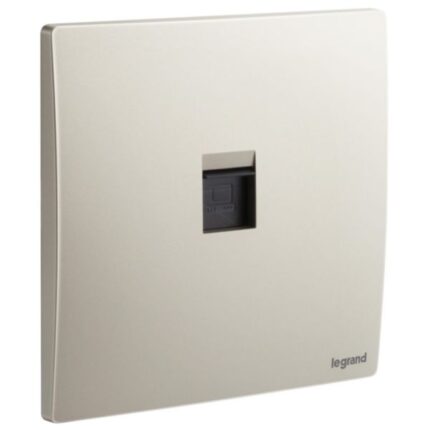
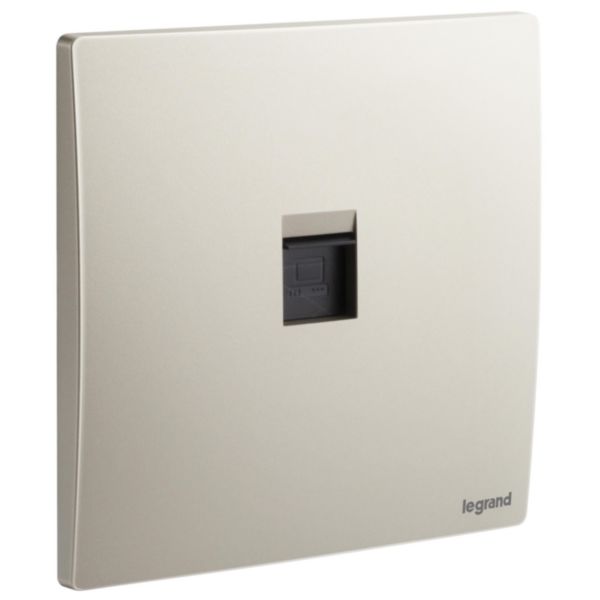
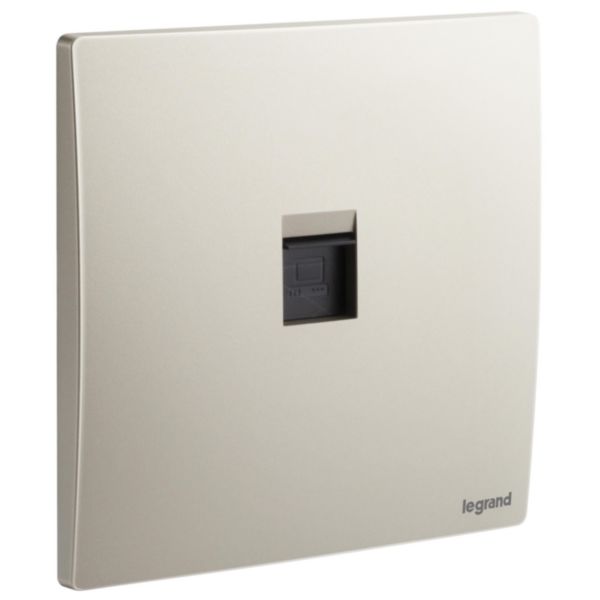

Legrand Mallia Senses – Single RJ45 socket outlet category 6 UTP

SKU: 281162CH

د.إ57.71

10 in stock

11 People watching this product now!

Fast Shipping

Carrier information

20k products

Payment methods

24/7 Support

Unlimited help desk

2-day Delivery

Track or off orders

Additional information
RatingChampagne

Description

An RJ45 CAT6 UTP Socket is a type of electrical socket that is commonly used in computer networking. It is designed to connect Ethernet cables to devices such as computers, routers, switches, and other networking equipment. This socket has a rectangular shape with eight small metal pins arranged in a specific pattern. These pins are designed to align with the wires in the Ethernet cable and create a secure, reliable connection.
The socket is compatible with Category 6 Unshielded Twisted Pair (UTP) cables, which are commonly used in high-speed Ethernet networks. The RJ45 CAT6 UTP Socket is designed to provide a high-speed, reliable connection for data transmission, with a bandwidth of up to 250 MHz. It can be used for various applications such as internet connectivity, file sharing, video streaming, and online gaming.

Features

  • Provides high-speed connectivity of up to 10 Gbps, making it ideal for use in high-speed networks
  • Compatible with both T568A and T568B wiring standards
  • Providing versatility and flexibility in wiring configurations

How to use

Step 1: Choose the location where you want to install the socket. Make sure it is easily accessible and close to the devices that will be connected to the network.

Step 2: The socket requires a standard Ethernet cable with eight wires. Ensure that the cable is properly terminated and has the right wiring configuration.

Step 3: Next, insert the Ethernet cable into the RJ45 CAT6 UTP Socket by pushing it into the opening until it clicks into place. The color-coded wires should match the color-coded labels on the socket.

Step 4: Once the cable is inserted, you can use screws or clips to secure the socket to the wall or the mounting plate.

Step 5: After installation, test the connection by connecting a device to the network using the socket. Ensure that the device is connected to the network and that it can access the internet or other devices on the network.