
د.إ47.98
10 in stock
Fast Shipping
Carrier information
20k products
Payment methods
24/7 Support
Unlimited help desk
2-day Delivery
Track or off orders
| Rating | 281159MB |
|---|
Description
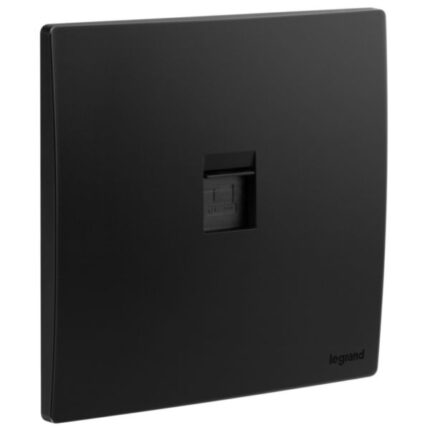
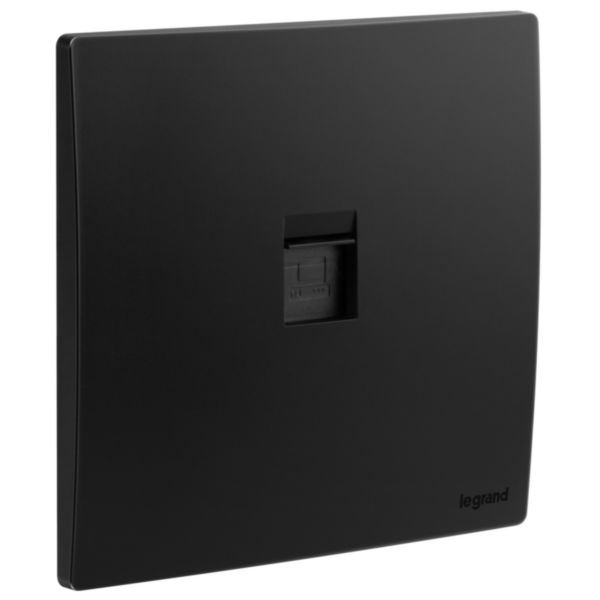
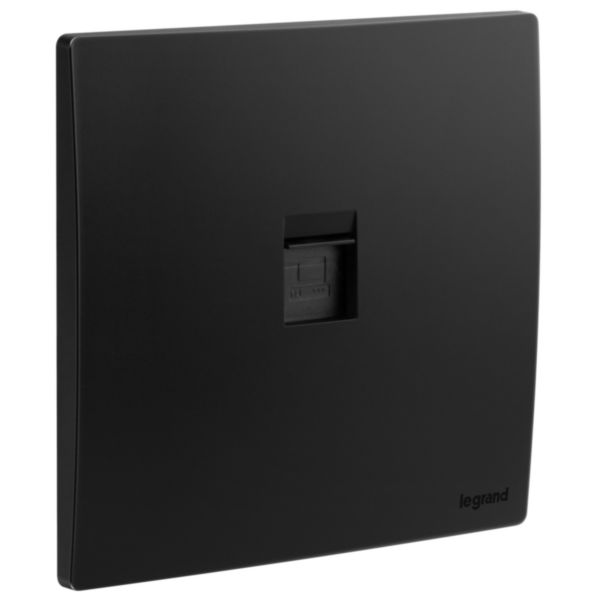
An RJ45 Cat6 STP socket is an electrical component used for connecting Ethernet cables to a wired network. It typically features a female connector designed to accept an RJ45 connector from an Ethernet cable. The Cat6 designation refers to the category of the cable, which is designed to support high-speed Ethernet networking up to 10 Gbps. The STP (Shielded Twisted Pair) designation indicates that the socket is shielded against electromagnetic interference, which can degrade network performance.
The RJ45 Cat6 STP socket is typically designed to be installed in a wall box or electrical enclosure and can be wired to the network using standard Ethernet cable. It may also include a built-in mounting bracket or other features to facilitate installation. The RJ45 Cat6 STP Socket is commonly used in residential and commercial settings to provide network connectivity for computers, printers, and other devices and is available in a variety of styles and designs to suit different applications and preferences.
Features
- Designed to support high-speed data transmission, providing up to 10 Gbps data transfer rates
- Designed with a shielding layer that helps reduce electromagnetic interference and improve signal quality
- High-quality materials that ensure durability and long-lasting performance
How to use
Step 1: Choose the location where you want to install the socket. Make sure it is easily accessible and close to the devices that will be connected to the network.
Step 2: The socket requires a standard Ethernet cable with eight wires. Ensure that the cable is properly terminated and has the right wiring configuration.
Step 3: Next, insert the Ethernet cable into the RJ45 CAT6 STP Socket by pushing it into the opening until it clicks into place. The color-coded wires should match the color-coded labels on the socket.
Step 4: Once the cable is inserted, you can use screws or clips to secure the socket to the wall or the mounting plate.
Step 5: After installation, test the connection by connecting a device to the network using the socket. Ensure that the device is connected to the network and that it can access the internet or other devices on the network.