
د.إ62.86
10 in stock
Fast Shipping
Carrier information
20k products
Payment methods
24/7 Support
Unlimited help desk
2-day Delivery
Track or off orders
| Rating | 281165MW |
|---|
Description
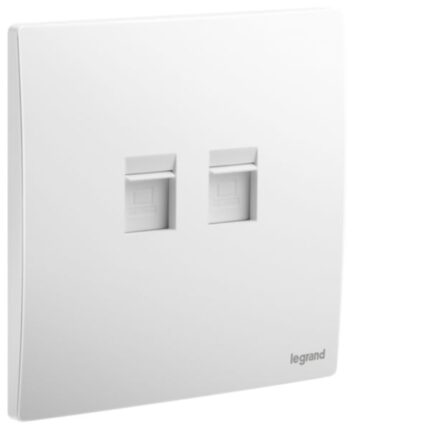
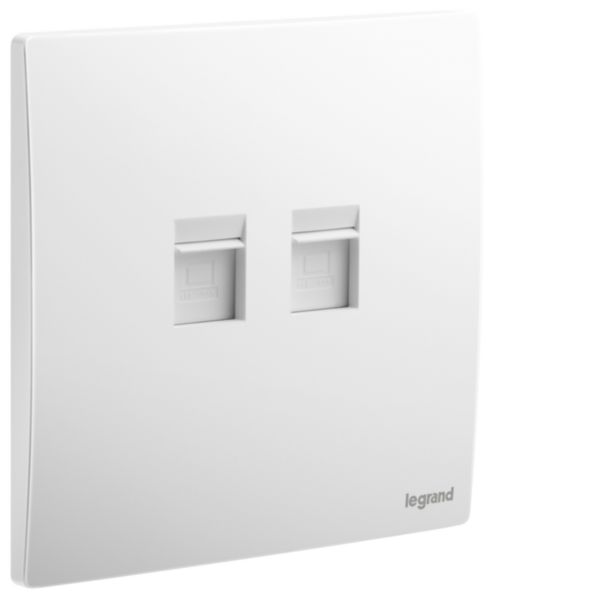
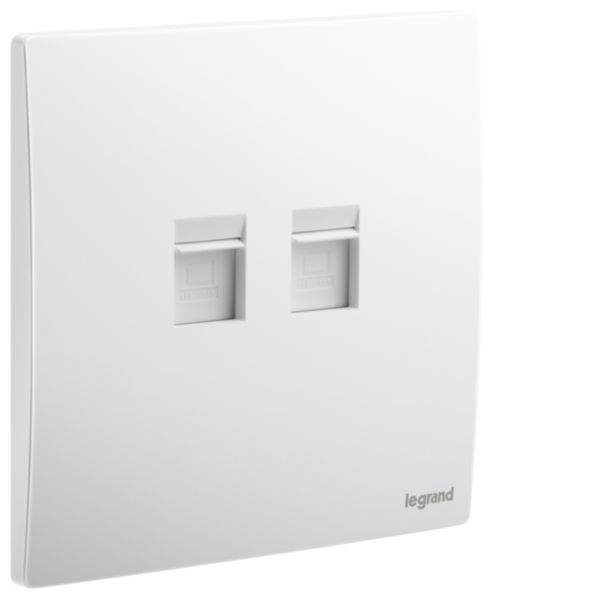
A double RJ45 CAT6 UTP socket is a type of electrical socket that allows two Ethernet connections to be made using standard RJ45 connectors. It is commonly used in computer networking applications where multiple devices need to be connected to a network. The socket has a rectangular shape with two sets of eight small metal pins arranged in a specific pattern, each set corresponding to a single RJ45 connector. These pins are designed to align with the wires in the Ethernet cables and create a secure, reliable connection.
The socket is compatible with Category 6 Unshielded Twisted Pair (UTP) cables, which are commonly used in high-speed Ethernet networks. The double RJ-45 CAT6 UTP socket is designed to provide a high-speed, reliable connection for data transmission, with a bandwidth of up to 250 MHz. It can be used for various applications such as internet connectivity, file sharing, video streaming, and online gaming.
Features
- Support high data transfer speeds of up to 10 Gbps, ensuring fast and efficient data transfer
- Can be easily connected to other networking devices, such as routers, switches, and hubs
- Allow for two Ethernet cables to be connected simultaneously
How to use
Step 1: Before you begin, make sure that the power to the outlet where you will be installing the socket is turned off.
Step 2: Remove the faceplate of the outlet where you will be installing the socket by unscrewing the screws that hold it in place.
Step 3: Connect the wires from the outlet to the appropriate terminals on the back of the socket, following the wiring diagram provided with the socket. Typically, there will be two sets of four wires (or pairs) to connect.
Step 4: Once the wires are connected, attach the socket to the outlet box using the screws provided. Make sure the socket is securely fastened.
Step 5: Finally, replace the faceplate of the outlet by screwing it back in place.
Step 6: Turn the power back on and test the socket using a suitable device, such as a computer or network tester, to ensure it is functioning properly.