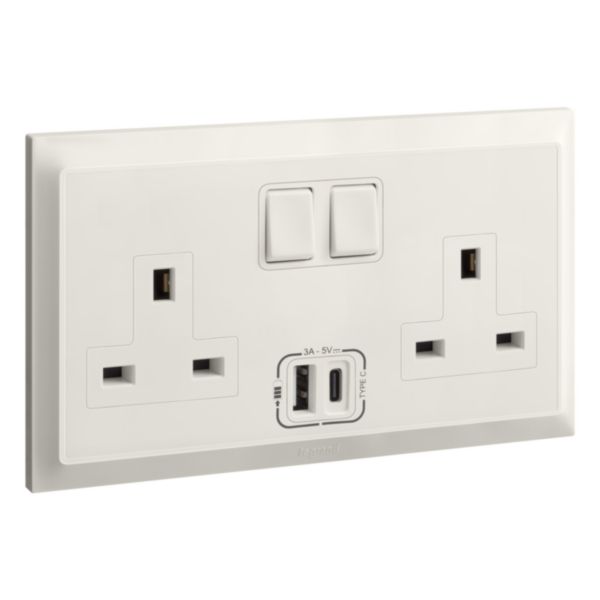
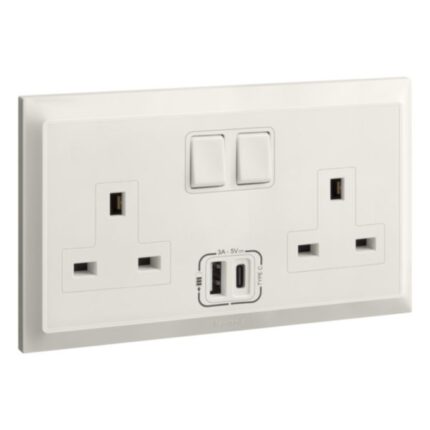
A 13A double BS (British Standard) switched socket with USB A and C is an electrical outlet that provides both two standard 3-pin sockets and two USB charging ports, one Type-A and one Type-C, for powering and charging various electrical devices. It is typically installed in the walls of buildings and is used to power a wide range of electrical appliances, such as smartphones, tablets, laptops, and other USB-powered devices.
The socket has a standard configuration that includes a grounding pin, two or three flat or round pins, depending on the standard it complies with, and two additional USB ports for charging. The USB charging ports typically provide a 5V DC output, and the Type-A port can deliver up to 2.4 amps of current, while the Type-C port can deliver up to 3 amps of current to charge USB-powered devices quickly.
The switches on the sockets are used to control the power supply to the connected devices, providing greater control over the devices and enabling energy savings when they are not in use. The socket is usually made of durable materials, such as plastic or metal, and is designed to withstand regular use and wear and tear.
Features
- Made of fire-resistant materials such as polycarbonate, which can withstand high temperatures
- Control the power supply to the socket
- Safety requirements for electrical plugs and sockets
How to use
Step 1: Before installing or replacing the socket, make sure the power supply to that particular circuit is turned off. You can do this by turning off the circuit breaker or removing the fuse that supplies power to the circuit.
Step 2: Decide on the location where you want to install the socket. This is typically installed on a wall where a power outlet is needed.
Step 3: If you are replacing an old socket, remove it from the wall by unscrewing the screws that hold it in place. Gently pull the socket out of the wall to reveal the wires behind it.
Step 4: The socket will have three terminals labelled “L,” “N,” and “E.” Connect the incoming “live” (usually brown or red) and “neutral” (usually blue or black) wires and the earth wire (usually green or yellow/green) to the corresponding terminals. It is important to make sure the wires are connected securely and correctly to ensure safety and proper functionality.
Step 5: Once the wires are connected, push the socket back into the wall and secure it in place with screws.
Step 6: Once the socket is installed, turn the power supply back on and test the socket to make sure it is working properly. You can do this by plugging in a device and turning on the switch to supply power to the socket.
To use the USB ports:
Step 1: The USB-A and USB-C ports are typically located on the faceplate of the socket and are marked with “USB-A” or “USB-C” or symbols that resemble the USB-A and USB-C ports.
Step 2: Plug the USB cable of the device you want to charge into the USB port on the socket. Make sure the cable is inserted securely.
Step 3: Once the device is connected to the USB port, it should start charging automatically.








Reviews
Clear filtersThere are no reviews yet.