د.إ107.93
10 in stock
Fast Shipping
Carrier information
20k products
Payment methods
24/7 Support
Unlimited help desk
2-day Delivery
Track or off orders
| Rating | 282448 |
|---|
Description
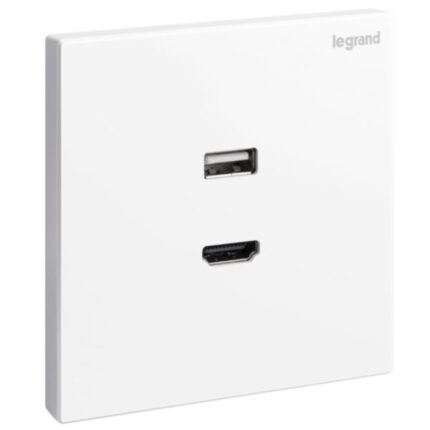
The Legrand Galion USB and HDMI Socket is an electrical outlet designed for residential or commercial use that allows for the connection of devices using USB and HDMI cables. The socket features two USB Type A ports and one HDMI port, which are commonly used for charging smartphones, tablets, laptops, and other electronic devices, as well as for connecting devices such as TVs, gaming consoles, and projectors to other devices such as laptops, tablets, or smartphones.
The USB ports on the socket support Type A cables, which are widely used for charging and data transfer. The HDMI port supports the latest HDMI standards, which offer high-speed data transfer and high-definition video and audio quality. The socket is designed to be easy to install and is suitable for retrofit applications. The socket also has a modern and elegant design that complements any decor.
Benefits
- Space-saving
- Versatility
- Energy efficiency
- Safety
- Aesthetics
Features
- Two USB Type A ports and one HDMI port
- Widely used for charging and data transfer
- The HDMI port supports the latest HDMI standards
How to use
Step 1: Identify the location where you want to install the socket. Make sure you have a proper electrical connection and that the voltage and current rating of the socket match your electrical system.
Step 2: Turn off the power supply to the socket by switching off the circuit breaker or removing the fuse that powers the electrical circuit.
Step 3: Remove the cover plate of the socket by unscrewing the screws on the plate.
Step 4: Connect the wires of the socket to the electrical system by following the instructions provided in the installation manual. The wires should be connected to the appropriate terminals marked on the socket.
Step 5: Screw the cover plate back onto the socket and turn on the power supply by switching on the circuit breaker or replacing the fuse.
Step 6: To use the USB ports, simply plug in your USB Type A cable into the appropriate port on the socket. Make sure the device you are charging is compatible with the USB standard supported by the port.
Step 7: To use the HDMI port, plug one end of your HDMI cable into the port on the socket and the other end into the corresponding port on your device. Make sure the device you are connecting supports the latest HDMI standard.