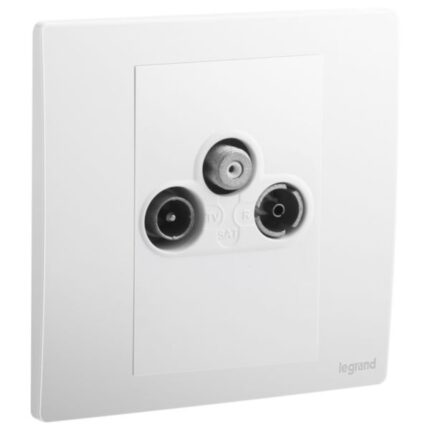
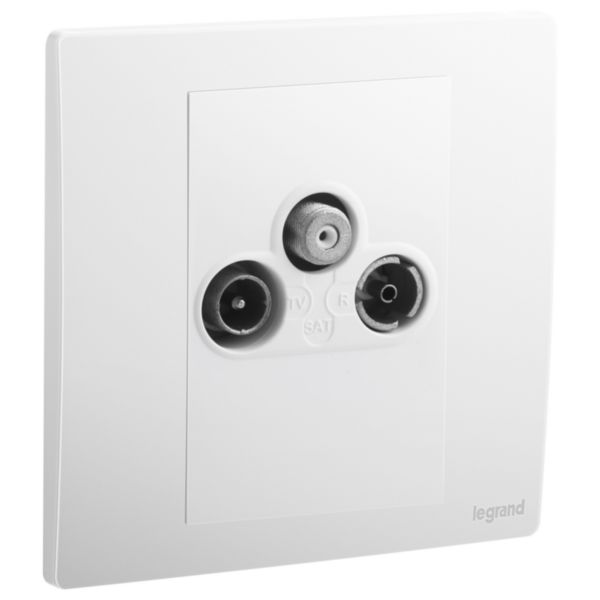
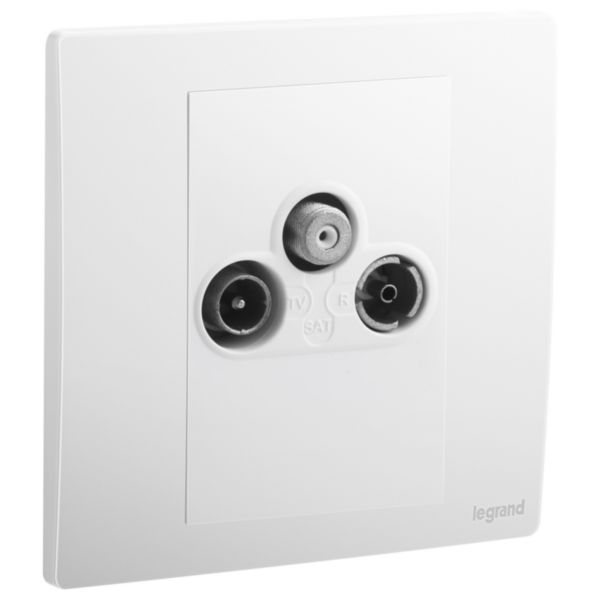

Legrand Mallia Senses – 1 gang TV-R-SAT socket outlet –

SKU: 281157MW

د.إ44.97

10 in stock

10 People watching this product now!

Fast Shipping

Carrier information

20k products

Payment methods

24/7 Support

Unlimited help desk

2-day Delivery

Track or off orders

Additional information
Rating281157MW

Description

A TV-R-SAT socket is an electrical component used for connecting a television, radio, and satellite or cable television system. It typically features three connectors: one for TV, one for radio, and one for satellite or cable. The TV connector is designed to connect to the coaxial cable from an antenna or cable television system, providing a signal to the television. The radio connector is designed to connect to the coaxial cable from a radio antenna or cable system, providing a signal to a radio or other audio equipment.
The satellite or cable connector is designed to connect to the coaxial cable from a satellite or cable television system, providing a signal to the television. The TV-R-SAT socket is typically designed to be installed in a wall box or electrical enclosure and can be wired to the antenna or cable system using standard coaxial cable. It may also include a built-in amplifier or other features to enhance the signal strength and quality.

Features

  • The TV-R-SAT socket allows to connect a television, radio, and satellite dish all in one convenient location
  • Connecting different devices, including a TV port, an FM radio port, and a satellite dish port
  • High-quality materials, ensuring durability and long-lasting performance

How to use

Step 1: Ensure that you have installed the socket correctly according to the manufacturer’s instructions. This may involve wiring it to your home’s electrical system.

Step 2: Once the socket is installed, identify the ports for the TV, radio, and satellite dish.

Step 3: Connect the coaxial cable from the TV to the port labelled “TV” .

Step 4: Connect the FM radio antenna to the port labelled “RADIO” if you plan to use it.

Step 5: Connect the coaxial cable from the satellite dish to the port labelled “SAT”.

Step 6: Turn on your TV and tune it to the appropriate channel or input to receive TV signals.

Step 7: If you plan to use the FM radio, turn on your radio and tune it to the appropriate frequency.

Step 8: If necessary, adjust the settings on your satellite receiver to ensure that you’re receiving the correct channels and programming.